.webp)
Limited-Time Offers and Cross-sells: How to Promote Digital Products at Checkout

Did you know cross-selling can boost your revenue by 30%? Yep, by suggesting the right add-on at the right moment, parents are more likely to buy it. And unlike upsells, you’re not asking them to spend bigger. You’re simply offering a small, smart extra that complements what they’re already excited about, more of a helpful “oh that’s perfect” than a hard sell.
Now think about the checkout flow once. That tiny window before a parent hits “Pay Now” is your golden moment to promote your products. They’re already in buying mode, committed to enroll in your program, thinking about how to make this a smooth experience for their children. So if you surface a relevant digital product here, it’ll not feel pushy; it feels like support!
For example, if a parent is booking your gymnastics class, a digital add-on like a First-Day Prep Guide, a Printable Routine + Skill Tracker, or a Beginner Gymnastics Handbook fits naturally. It answers the exact questions they’re already asking in their head and helps them feel ready from day one.
So in this blog, let’s break down how to use cross-sells and limited-time offers to promote your digital products in a way that feels effortless for parents and seriously boosts your revenue margins.
Which Converts Better: Cross-sells or Limited-time Deals?

If you’re trying to boost digital product sales at checkout, this is the big question. Let’s break down which converts better, cross-sells or limited-time deals, and when each one wins.
1. Cross-selling
The best thing about digital products is their instant usefulness! So mapping your products with the programs your clients are enrolling in and suggesting them is a strong strategy. Parents aren’t looking to buy “more stuff”; they're looking to avoid last-minute confusion and make sure their child has a smooth start. So when you offer a digital add-on that solves a specific problem tied to the program they’re booking, it becomes a natural yes.
For example, if someone is enrolling in your summer camp, a simple “What to Pack for Camp” guide or a first-day checklist reduces their stress right away. If they’re booking a gymnastics or dance class, a First-Day Prep Guide, a beginner handbook, or a printable progress tracker feels like the missing piece that helps their kid settle in faster and improve sooner. The strongest cross-sells usually do one of three things: prepare the parent for day one, support practice at home, or track progress clearly - all things parents already care about at that moment.
2. Limited-time Offers
91% of customers are likely to shop with brands that remember preferences and provide relevant offers. So, you can use limited-time offers that work best as a booster, not your base strategy when it comes to digital products. They’re perfect when a digital product is valuable but not directly tied to the exact program being booked because parents might like it, but think, “I’ll get it later.” A checkout-only incentive removes that hesitation with a gentle nudge to act now.
Use limited-time offers when the add-on is broader than the program, when you’re launching a new digital product, during seasonal peaks (camps, recitals, tournaments), or as a believable “new enrollee bonus.” Keep it specific, soft, and credible so it feels like extra help, not pressure!
3. Pair them Both Together!
Pairing a cross-sell with a limited-time offer is a smart move because it stacks two buying motivators at the right moment - relevance and urgency! Mapping the right cross-sell with the program ensures that you’re promoting the right product, and the limited-time angle removes the “I’ll buy it later” delays by creating a gentle nudge.
Using this strategy, timely and cleverly increase your average order value with stronger margins from the same booking. The key is to keep it believable and specific.
How To Promote These Products?

Here are some tips that you could use to promote your digital products at checkout.
- Map cross-sells to the program level and intent. Parents enrolling a toddler class need different support than parents enrolling an advanced batch. A simple matrix helps:
- Beginner level: first-day prep, foundational handbook, simple skill tracker
- Intermediate level: home-practice pack, progress milestones
- Camp/workshop: packing list, routine planner, “what to expect” guide
- Pick one great cross-sell per program. If you pick a number of programs, it will create confusion. After they’ve already made a bunch of tiny decisions, such as program date, time, details, and payments, giving more choices will feel like noise.
- Keep the price of the add-on light. Cross-sells convert best when they feel like a small bonus and not a second purchase. You can keep 5 to 15% of the main program price. If the program costs $90, it pairs well with an add-on that costs $5 to $10.
- Use friendly, parent-style copy that doesn't sound like a sales pop-up. Use one-liners like “Most parents add this to make home practice easier”, “Great for helping your child feel confident on day one.” Avoid pushy language (“You need this!”) or long paragraphs at checkout.
- Make it one-click to add. If adding the cross-sell feels like extra work, parents will skip it. Keep the UX tiny: toggle, checkbox, or “Add in 1 click.”Add a clear, honest framing that fits the moment, like “Available only with this program”, “Add now to access before the first class”.This makes the offer feel thoughtful and exclusive, not random.
- Lead with the outcome, not the product name. Headlines like: “Help your child start confidently from day one.”“Make home practice simple and fun.” sell why it matters, fast.
- Finish with a micro-proof point if you have one: “Trusted by 100+ enrolled parents.”
Social proof and relevant recommendations are proven to increase add-on uptake and overall AOV.
What are all the Digital Products that I can Sell?
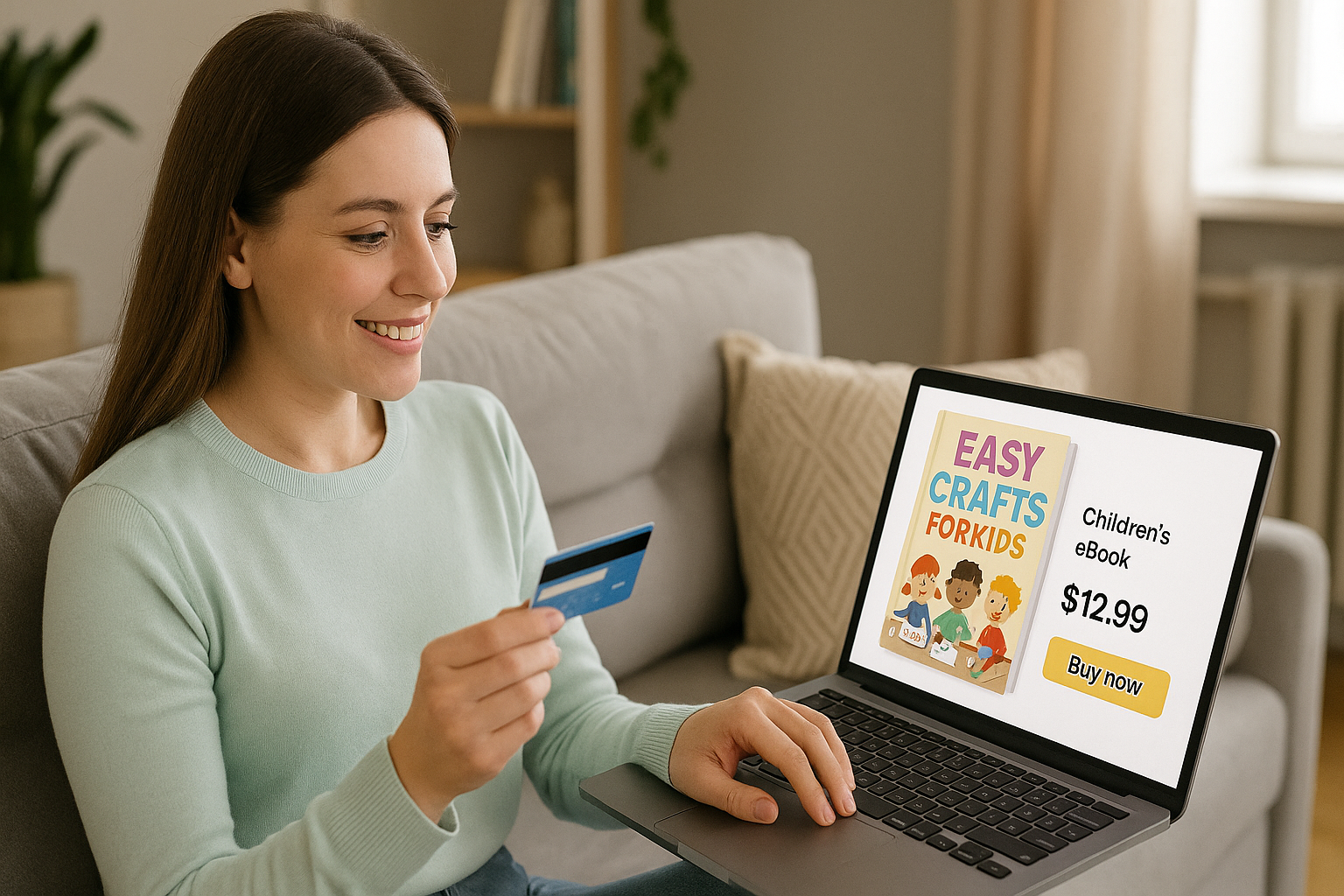
Digital products can feel both simple and surprisingly tricky. Simple because they’re a “make once, sell forever” kind of asset, you create it one time, and it can keep earning in the background. Tricky because the product itself isn’t the whole game; what you sell, who you sell it to, and when you offer it is what decides whether it actually brings revenue in.
1. At Home Practice and Extension Packs
Simple “extension packs” that can help kids keep practicing at home without parents having to Google ideas or make up routines on the spot. For example, if you run a gymnastics program, here are a few easy digital add-ons that feel fun and useful:
- Swipeable mini challenges: short, game-like challenges kids can do daily. Think “7-Day Cartwheel Challenge” or a “14-Day Agility Quest.” It’s structured practice, but also fun.
- Practice music/playlist pack: a ready-to-go set of upbeat tracks that match warm-ups, drills, or stretching.
- Parent–child practice guide: a simple “do this together” PDF with 5–10 tiny games that build core skills, so practice turns into bonding time, not a chore.
- Routine builder: a month of bite-sized 10-minute sessions that tell them exactly what to do each day. No thinking, no planning, just open and follow.
These kinds of products work because they solve a real parent problem: “How do I help my kid practice at home without turning it into a battle?” And for kids, they make practice feel like play.
2. First day/ Onboarding Help
A super useful kind of digital add-on is a simple first-day prep guide. Parents are excited when they book, but they’re also quietly wondering, “How do I make sure my kid feels comfortable?” A small, friendly guide can calm those nerves and set everyone up for a smooth start.
For example, you can offer digital materials like:
- “Help Your Child Settle In” Parent Guide: a warm, practical walkthrough of what’s normal on day one, what parents can say before class, little routines that build comfort, and tips for shy or first-time kids. Think of it as a confidence boost for both parent and child.
- First-Timers FAQ Pack: a quick, easy list of the questions parents always have about the program: what to bring, what to wear, how early to arrive, what happens if their child feels nervous, how progress works, and what “success” looks like in the first few weeks.
These kinds of onboarding add-ons feel thoughtful, not salesy, because you’re answering the exact questions parents already have right after they enroll.
3. Behavior, Confidence, and Mindset
Parents don’t just sign up for your program because they want their child to learn a skill; they want them to feel confident, focused, and motivated the whole way through. That’s why mindset-based digital add-ons can be a great fit. Here are a few digital product ideas that would work:
- Quick focus game pack: a set of 10–15 simple games that build attention and listening in a fun way: things like “freeze and focus,” “beat the timer,” or quick follow-the-leader challenges kids can do before class or at home.
- Reward routine planner: a printable weekly tracker that helps kids stay consistent with attendance and home practice using positive reinforcement. It turns into “Did you practice yet?” into a small celebration instead of daily nagging or arguments.
- Emotional regulation mini kit: gentle tools parents can use when kids feel overwhelmed like a “name the feeling” chart, calm-down corner ideas, and a simple 5-step pause-and-reset routine they can follow together.
These add-ons feel valuable because they help parents support their kids beyond the class so progress sticks and confidence grows naturally.
4. Seasonal Holiday Activity Bundles

Seasonal packs are a fun way to ride the natural ups and downs of the year. Parents are always looking for fresh ideas during holidays and school breaks, and since your programs already shift with the season, your digital products can too. Think of these bundles as “take-home versions” of the energy you create in class. Here are a couple of examples:
- Summer “Move-a-Day” Challenge: a simple daily movement calendar or swipeable challenge series kids can follow at home: quick drills, playful stretches, or mini skill goals that keep them active all summer without parents having to plan anything.
- Winter Indoor Energy-Burn Pack: a set of short videos or printable game cards with cozy, indoor-friendly activities like “snowball target toss,” “penguin waddle relay,” or a “build-a-snowman circuit.” It gives kids a safe way to burn energy when they’re stuck inside, and parents will love you for it.
Seasonal bundles work because they feel timely, fresh, and totally aligned with what families need right now.
5. Camp Add-ons
Camps are memory-makers, which makes camp-related digital add-ons a relatable fit. While signing up for camps, parents aren’t just buying a schedule; they’re buying an experience their kids will talk about all year. So anything that helps them capture it, extend it, or handle those “what do we do now?” moments feels genuinely valuable.
Here are a few easy digital add-ons you can sell alongside camps:
- Camp keepsake bundle: printable camp certificates, badges, or a simple digital photo memory book template. It’s a sweet way for families to take the experience home and keep it forever.
- Rainy-day / low-energy activity pack: quick indoor versions of camp games in video or PDF form, perfect for days when the weather turns or kids come home tired but still restless.
- DIY craft-at-home guide: a downloadable PDF of simple camp-style crafts parents and kids can do together after camp hours. It keeps the fun going without parents needing to search for ideas.
These kinds of add-ons work because they feel like thoughtful extras that make camp even more special, while giving you a clean way to increase revenue per booking.
6. Party Needs

When parents are in full-on party-planning mode, a small digital add-on at that point doesn’t feel like “another purchase.” It feels like a shortcut that saves them time, effort, and last-minute scrambling. You can lean into that with simple, practical party helpers like:
- Party game pack: 10–12 ready-to-run game ideas with quick instructions, age tweaks, and prep tips, so they don’t have to hunt Pinterest for an hour.
Curated party music playlist: a plug-and-play kids playlist that fits the vibe (arrival, high-energy games, cake time, wind-down). - Return-gift coupons: shareable digital coupons families can use later (with limited redemptions), so the “return gift” is actually useful.
- Party host script: simple MC lines, a party flow timeline, icebreakers for shy kids, backup games, and little reward ideas, basically a calm, confident co-host in PDF form.
- Digital party favors: printable puzzles, coloring pages, mini activity cards, plus a bonus coupon, fun for kids and easy for parents!
These add-ons work because they feel timely: you’re helping parents throw a smoother, happier party right when they need it most.
Conclusion
Checkout is more than a finishing line; it’s where parents are most ready to say “yes” to something that makes their child’s experience smoother. When your cross-sells are relevant and your limited-time offers are used thoughtfully, you’re not just adding extra revenue, you’re removing extra stress for parents and helping kids feel more prepared, confident, and excited. That’s how your average revenue per family grows without adding more classes, more staff, or more marketing spend.
With Omnify, you can sell digital products seamlessly right inside your checkout flow. Create a few digital products and add them as addons with your services, and you can start selling them in minutes. It’s a simple way to turn every booking into a bigger win for your business and a better experience for your families.
Want to see how it works for your center? Talk to us and explore Omnify for yourself. We offer a 14-day free trial, so you can test it with your programs and start selling digital add-ons right away.
Learn how kids' activity centers can boost revenue by pairing relevant digital cross-sells and limited-time offers at checkout without sounding too salesy