.webp)
How Fitness Studios and Activity Centers Can Save Time Creating Social Media Videos
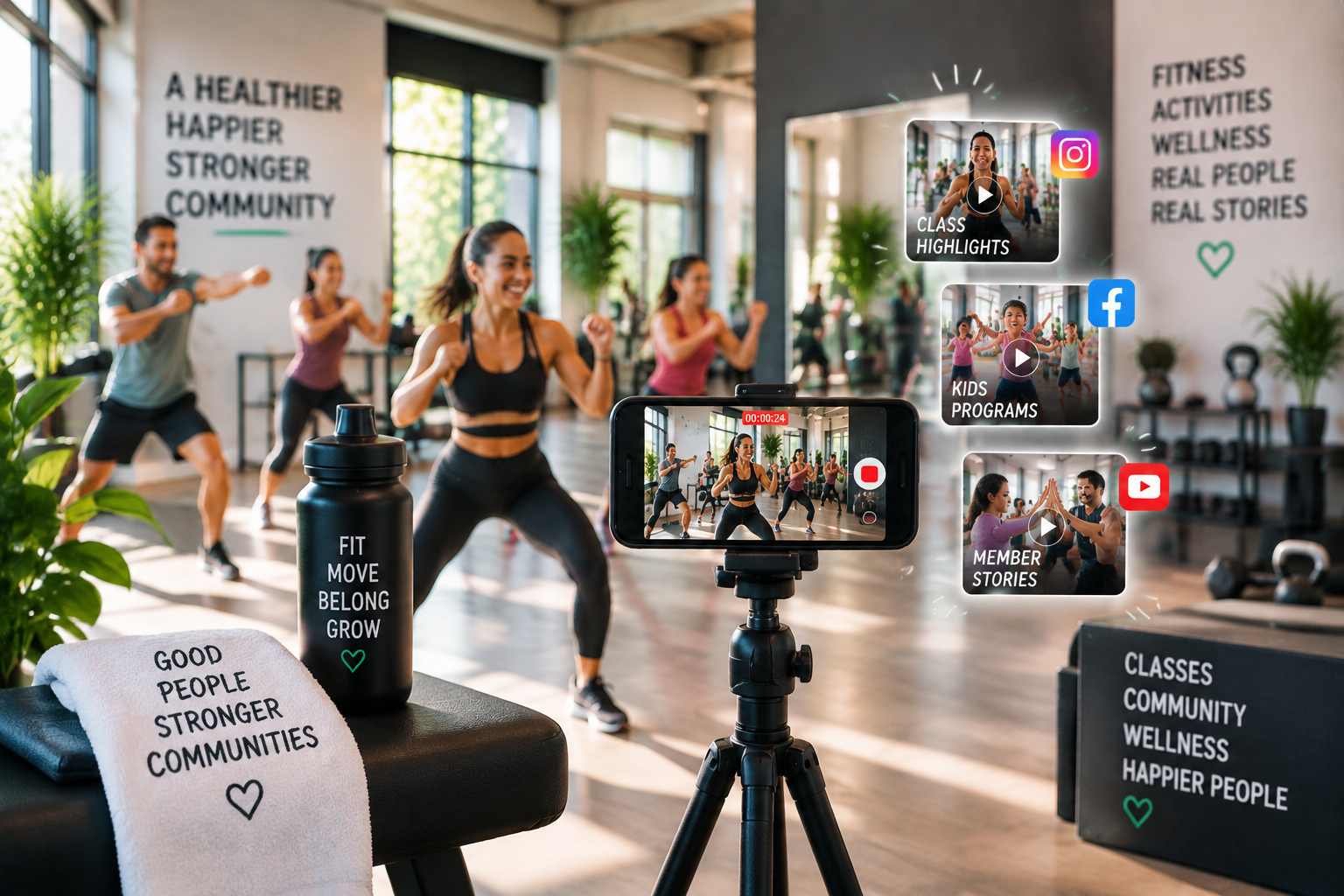
For fitness studios, kids activity centers, sports academies, and wellness businesses, social media has become an important channel for attracting new customers and building stronger relationships with existing ones. A short video showing a busy class, a customer achievement, an instructor sharing advice, or a behind-the-scenes moment can help potential customers understand the experience before they visit.
However, consistently creating videos is not always easy.
Many local businesses already capture valuable moments every day, but turning those clips into engaging social media content requires time, editing skills, and a repeatable process. For small teams managing classes, customers, operations, and marketing at the same time, video creation can quickly become another time-consuming task.
The good news is that fitness studios and activity centers do not need a large marketing team or professional production setup to create effective videos. With the right workflow, businesses can transform everyday moments into content that supports growth.
Why Video Matters for Fitness Studios and Activity Centers
Customers often want to understand the experience before they book a class, join a program, or visit a facility. Photos and written descriptions provide information, but videos allow businesses to show the atmosphere, energy, and people behind their services.
For fitness studios, videos can showcase:
- Instructor introductions
- Workout sessions
- Member success stories
- Facility tours
- Training tips
- Community events
For activity centers, videos can highlight:
- Class experiences
- Student progress
- Parent testimonials
- Seasonal programs
- Special events
- Behind-the-scenes activities
These videos help businesses build trust because customers can see real experiences instead of only reading about them. Social media platforms also reward engaging visual content. Regular video publishing can help businesses stay visible, reach new audiences, and encourage existing customers to interact with their brand.
Businesses that want to connect these videos to a broader marketing strategy can explore Omnify’s content marketing guide for fitness studios, which covers video, blogging, audience research, social media, and content distribution.
Common Challenges Businesses Face When Creating Social Media Videos
While most businesses understand the value of video, creating content consistently can be challenging.
1. Finding Time to Edit Videos
Running a fitness studio or activity center involves managing schedules, instructors, customers, payments, and daily operations. Spending hours reviewing footage, cutting clips, adding captions, and preparing different versions for social media is difficult for many business owners.
2. Managing Large Amounts of Footage
A single class or event can create dozens of video clips. Choosing the best moments and organizing them into a clear story can take significant effort. Businesses often have useful footage but struggle with deciding what to use and what to remove.
3. Creating Professional Looking Content
A good social media video requires more than combining clips together.
Businesses need to consider:
- Video pacing
- Audio quality
- Captions
- Visual style
- Branding
- Platform requirements
Without editing experience, creating polished content can feel overwhelming.
4. Creating Enough Content Consistently
One promotional video may generate interest, but businesses need regular content to maintain engagement. The challenge is creating a sustainable process that does not take away time from running the business.
Turning Classes and Events Into Marketing Assets
Fitness studios and activity centers already have many opportunities to create content. The key is recognizing everyday moments as potential marketing assets.
A regular class can become:
- A short introduction video
- A customer experience story
- A social media highlight
- An instructor spotlight
- A promotional clip for new members
A seasonal event can become:
- A recap video
- A testimonial collection
- A community highlight
- A future event promotion
For example, a kids activity center hosting a summer camp can capture different moments throughout the program. Those clips can later be used to show parents what makes the experience valuable. Similarly, a fitness studio can record member milestones and transform them into motivational content that encourages others to join. The goal is not to create more work. It is to make better use of moments businesses are already capturing.
Creating Multiple Versions From One Video
One of the biggest opportunities for small businesses is repurposing existing content. A single video does not need to be used only once.
For example, a fitness class recording can become:
- A short Instagram Reel
- A website video
- An email newsletter feature
- A customer testimonial
- A paid advertisement
An event video can be transformed into multiple clips by changing the length, focus, and message. Creating multiple versions helps businesses maintain consistent content without constantly needing new recordings.
Using AI to Simplify Video Creation Workflows
As video becomes more important for business marketing, AI tools are helping teams reduce the repetitive parts of editing. Instead of manually reviewing every clip, removing unnecessary sections, and rebuilding timelines from scratch, businesses can use AI-assisted workflows to speed up the editing process.
For videos that include spoken content, AI lip sync tools can also help synchronize mouth movements with audio, making it easier to create polished and engaging social media content.
The purpose of AI is not to replace creative decisions. Businesses still decide their message, brand style, and audience. AI simply helps reduce the operational work involved in preparing content.
How Invideo Editor Helps Businesses Create Social Media Videos Faster
AI-powered editing workflows are helping businesses simplify video creation by reducing repetitive editing tasks while keeping creative control in their hands.
Invideo Editor combines a professional editing timeline with AI editing agents that help creators work through footage more efficiently. Businesses can upload their content, provide instructions, and use AI assistance to organize footage, select usable clips, adjust sequences, and prepare an editable timeline without manually handling every step.
With the growing need for consistent video content, AI video editing tools help businesses streamline creative workflows by assisting with tasks like updating video styles, improving scenes, replacing media, and making quick adjustments through text-based prompts. This workflow allows fitness studios and activity centers to spend less time managing repetitive editing tasks while keeping full control over their final videos and marketing content.
Building a Simple Video Workflow for Your Business
A consistent workflow helps businesses create content without adding unnecessary complexity.
A simple process can include:
Step 1: Capture Content Regularly
Record small moments during normal business activities instead of waiting for a major campaign.
Step 2: Organize Your Footage
Create categories for different types of videos:
- Classes
- Customer stories
- Events
- Team content
- Educational videos
Step 3: Create a First Draft
Use editing tools to organize the strongest moments into a complete video. AI-assisted workflows can help with repetitive tasks like reviewing footage and creating an initial timeline.
Step 4: Customize for Different Platforms
Adjust videos based on where they will be published. A short vertical video may work well for social media, while a longer version may be better suited for a website or email campaign.
Step 5: Learn From Performance
Track which videos receive the most engagement and create more content around successful formats.
Tips for Creating Better Social Media Videos
Small improvements can make videos more effective.
Keep the Focus Clear
Every video should have one main purpose. Whether it is promoting a class, introducing an instructor, or sharing a customer story, clarity helps viewers understand the message.
Show Real Experiences
Authentic content often performs better than overly polished promotional material. Customers want to see real people and real experiences.
Add Captions
Many users watch videos without sound. Captions make content easier to understand and improve accessibility.
Highlight People
For service businesses, people are the biggest part of the experience. Showing instructors, customers, and communities helps create stronger connections.
The Future of Video Marketing for Local Businesses
Video marketing will continue to play an important role for fitness studios and activity centers. Customers increasingly expect businesses to communicate through engaging visual content. The challenge is creating enough content while managing daily operations.
By building efficient workflows and using modern editing solutions, small teams can create professional videos without needing large budgets or dedicated production teams. Invideo Editor helps businesses move from raw footage to editable projects faster, allowing teams to focus more on storytelling and customer engagement instead of spending hours on repetitive editing tasks.
Creating consistent social media videos does not have to be complicated. With the right process, every class, event, and customer interaction can become an opportunity to connect with a wider audience.

Learn how fitness studios and activity centers can save time creating social media videos with simple workflows, AI-assisted editing, and better content strateg