.webp)
How Local Businesses Can Create More Engaging Videos With Limited Resources
Video has become one of the most effective ways for local businesses to build trust, attract new customers, and showcase what makes their services unique. Whether it is a fitness studio sharing class experiences, a kids activity center highlighting programs, or a local service provider showing customer success stories, videos help potential customers understand the experience before they make a decision.
However, creating engaging videos can feel challenging for small businesses.
Many local businesses do not have a dedicated marketing team. They may not have professional cameras, editing experience, or the time required to produce content consistently. As a result, valuable moments often stay unused because turning raw footage into polished videos feels like a complicated process.
The good news is that creating effective videos does not require a large production budget. With the right approach and simple workflows, local businesses can create professional-looking content while saving time and resources.
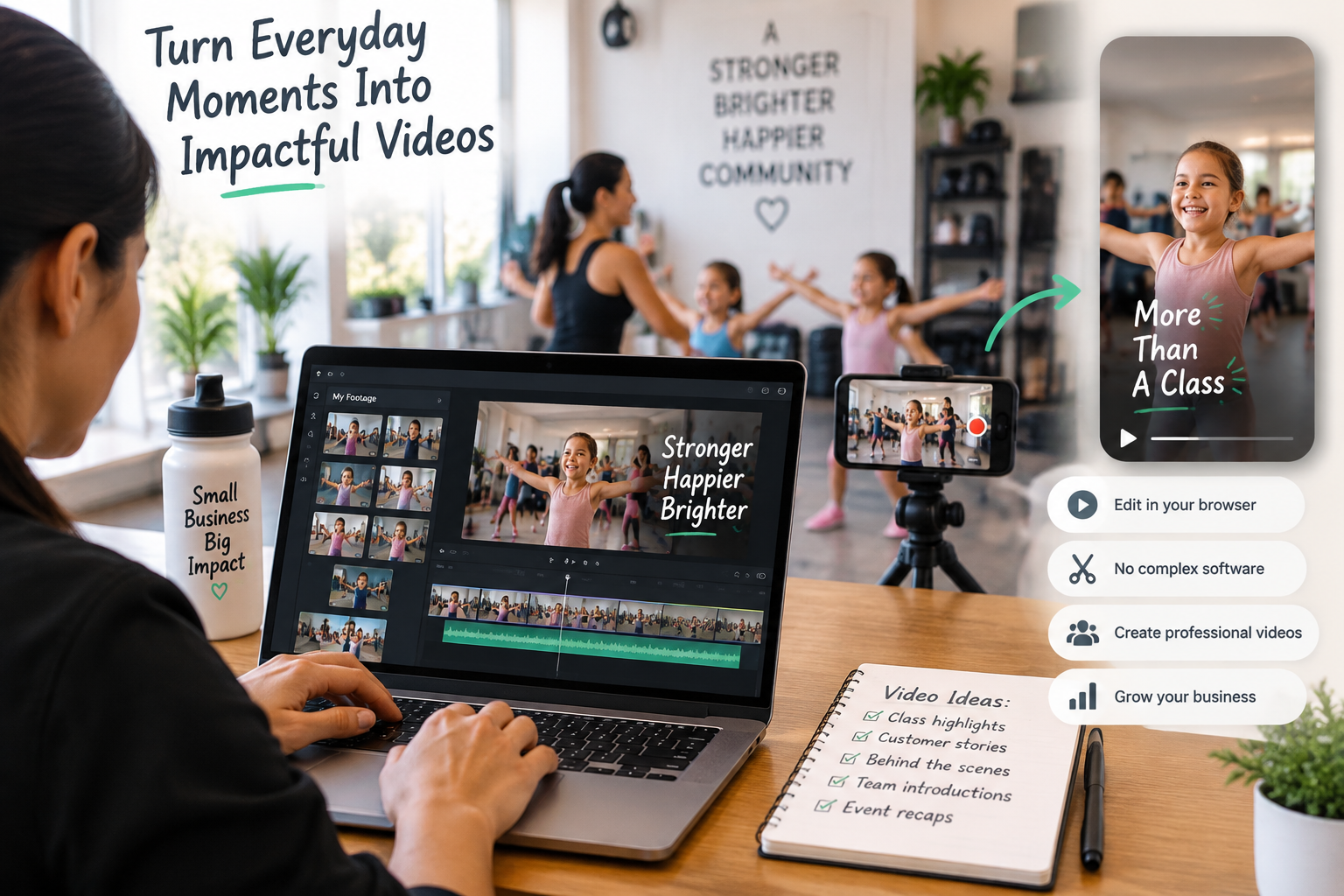
Why Video Marketing Matters for Local Businesses
Customers today often research a business before visiting or making a purchase decision. Videos help businesses create a stronger connection by showing real experiences instead of only describing them.
For local businesses, videos can help:
- Showcase services and facilities
- Introduce team members and instructors
- Share customer stories and testimonials
- Highlight events and community experiences
- Build trust with potential customers
- Increase engagement across social media platforms
A short video showing a busy class, a happy customer, or a behind-the-scenes moment can communicate more than a simple text post. The challenge is not always creating footage. Many businesses already have plenty of content. The challenge is organizing, editing, and turning those clips into something people want to watch.
Common Video Creation Challenges for Small Businesses
Large brands often have teams dedicated to filming, editing, and managing content calendars. Local businesses usually have fewer resources and need to handle marketing alongside daily operations.
Some common challenges include:
1. Limited Time
Business owners often capture videos between meetings, customer interactions, and daily operations. Finding hours to review footage, select clips, and edit videos can be difficult.
2. Lack of Editing Experience
Creating engaging videos requires more than putting clips together. Businesses need to think about pacing, storytelling, captions, audio quality, and visual flow. Without editing experience, even great footage may not deliver the intended impact.
3. No Professional Equipment
Many businesses assume they need expensive cameras and production setups to create quality videos. However, audiences often respond well to authentic content created with simple equipment. The focus should be on telling a clear story rather than creating a perfect production.
4. Difficulty Creating Content Consistently
One successful video is useful, but consistent content builds stronger brand visibility. Businesses need repeatable processes that allow them to create videos regularly.
How Local Businesses Can Create Better Videos With Limited Resources
Creating engaging videos becomes easier when businesses focus on a simple and repeatable process.
1. Start With Content You Already Have
Many businesses already capture valuable moments:
- Customer interactions
- Events
- Classes and workshops
- Product demonstrations
- Team introductions
- Behind-the-scenes activities
Instead of waiting for a perfect filming opportunity, businesses can review existing footage and identify moments that tell a story. For example, a fitness studio can turn clips from regular classes into a customer experience video. A kids activity center can combine event footage with parent testimonials to create a promotional video. Save videos from Instagram that your business has already posted, and you will often find a few ready-made clips, like a class highlight or a customer moment, that are worth reworking into a fresh edit.
2. Focus on Story Instead of Just Footage
A good video needs a purpose. Before creating a video, businesses should decide what they want viewers to understand.
Some examples:
- A new customer should understand what happens during a first visit
- Parents should see why a program is valuable for their children
- Potential members should understand the experience a business provides
A simple story structure works well:
Beginning: Introduce the situation or problem
Middle: Show the experience or solution
End: Encourage viewers to take the next step
This approach helps even simple videos feel more engaging.
3. Use Simple Tools to Reduce Editing Time
Editing is often the biggest barrier for small businesses. Reviewing multiple clips, removing unnecessary parts, adding captions, improving audio, and creating different versions can take significant time. This is where modern editing workflows can help.
Invideo Editor is designed for creators and businesses that want a professional editing timeline with AI editing agents to handle repetitive tasks. Businesses can upload footage, provide direction, and use AI assistance to review footage, select usable clips, remove unnecessary sections, and create an editable starting point. For businesses looking for easier workflows, solutions like editing videos online make it possible to create and refine marketing content directly through a browser without needing complex software installations or advanced editing skills.
The goal is not to remove creative decisions from the process. Instead, these tools help businesses spend less time on repetitive editing tasks and more time focusing on the message they want to share.
4. Create Different Versions From One Video
A single recording can become multiple marketing assets.
For example, a customer event video can become:
- A short social media clip
- A website testimonial video
- An email campaign video
- A promotional highlight
- A behind-the-scenes post
Creating multiple versions helps businesses get more value from every piece of content they capture. These variations can also be adapted into ad creative services for businesses looking to promote their offers across paid channels. Invideo Editor supports this type of workflow by allowing creators to keep working within an editable timeline, making it easier to adjust projects for different audiences and platforms.
5. Improve Videos With Small Details
Professional-looking videos often come from small improvements rather than expensive equipment.
Businesses can improve content by:
Adding Captions
Many people watch videos without sound. Captions help improve accessibility and engagement.
Improving Audio Quality
Clear dialogue makes videos feel more professional. Reducing background noise and balancing sound levels can significantly improve viewer experience.
Maintaining Consistent Branding
Using similar colors, text styles, and messaging helps customers recognize content across platforms.
Keeping Videos Short and Focused
Attention spans are limited. A focused video with one clear message usually performs better than a long video covering too many ideas.
Building a Sustainable Video Workflow
The biggest advantage for small businesses comes from creating a repeatable system.
A simple workflow could look like this:
Step 1: Capture Moments Regularly
Keep collecting authentic footage during normal business activities.
Step 2: Organize Footage
Separate videos by category, such as testimonials, events, services, and educational content.
Step 3: Create a Basic Editing Process
Use templates, editing tools, and repeatable structures to save time.
Step 4: Repurpose Content
Turn one video into multiple pieces for different channels.
Step 5: Review Performance
Understand which videos generate the most engagement and create more content around those formats. Consistency matters more than creating a perfect video every time.
How AI Can Support Small Business Video Creation
Artificial intelligence is changing how businesses approach content creation. Instead of replacing creativity, AI tools can reduce the manual work involved in preparing videos.
For a closer look at these workflows, Omnify’s guide to AI agents in professional video editing explains how AI can assist with footage review, rough cuts, timeline changes, and content variations while creators retain control over the final result.
With invideo editor, businesses can use AI editing agents to assist with parts of the editing process, including footage review, base cut creation, pacing adjustments, and organizing content on an editable timeline. This is especially useful for businesses that work with longer recordings, repeated takes, interviews, customer stories, or event footage.
The creative direction remains with the business. AI simply helps reduce the operational work required to bring ideas to life.
Final Thoughts
Creating engaging videos does not require a large marketing team, expensive equipment, or years of editing experience. Local businesses can create effective content by focusing on authentic stories, using existing footage, and building simple workflows.
The most successful video strategies are often the ones businesses can maintain consistently. By combining clear storytelling with efficient editing processes, even small teams can create videos that attract customers, build trust, and strengthen their brand presence.

Learn how local businesses can create engaging marketing videos without a large team, expensive equipment, or editing skills using simple video workflows.